


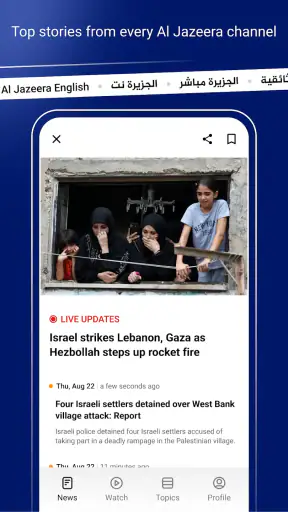


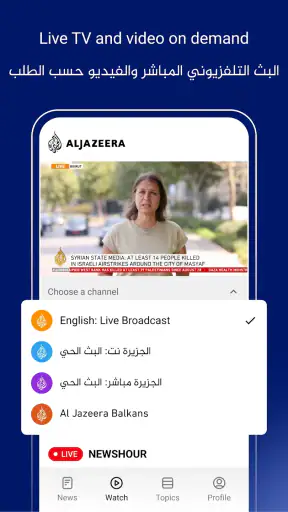

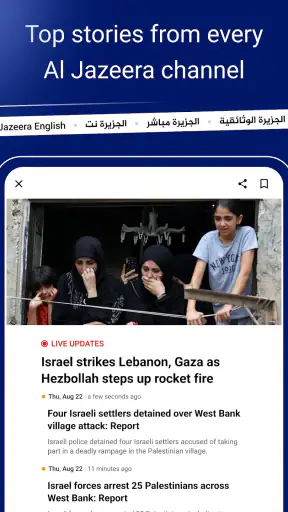
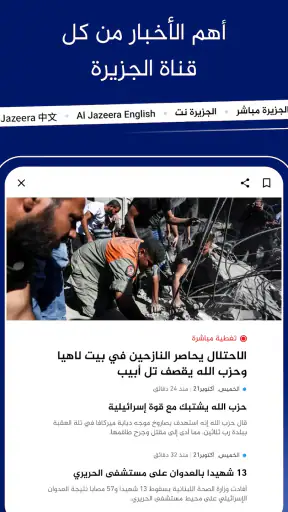

I installed Al Jazeera - الجزيرة because I wanted a more deliberate way to follow international news than opening a social feed and letting its algorithm decide what I should see. This free News & Magazines app comes from Al Jazeera Network and is aimed at people who want the broadcaster’s reporting, live coverage, video, and broader current-affairs material gathered in one mobile destination. My overall impression is positive: it feels most useful when I begin with a specific question, follow the developing story, and then switch between formats to understand what is happening.
The app is not simply a replacement for every news source on a phone. It gives Al Jazeera’s editorial perspective a central role, which is exactly why it will appeal to some readers and feel incomplete to others. I would recommend it to someone who regularly follows international affairs, regional politics, conflicts, diplomacy, business, or major breaking events. I would be more cautious about recommending it to a reader who wants a completely neutral-looking dashboard that combines many publishers in one place.
From a quick news check to a complete story workflow
Starting with the right question
The best experience begins before opening the app. If I am simply bored and want random headlines, a general news aggregator may be faster. If I want to know what has changed in a particular international story, however, Al Jazeera gives me a clearer starting point. I can enter with a question such as what happened overnight, which officials have responded, or whether a developing event has moved beyond initial reports.
That distinction matters because the app’s value is not only the number of headlines on screen. Its strength is the handoff from a headline to more context. I can use a short update to identify the central issue, open the full report for background, and then move to video when written details are difficult to absorb. I found this more satisfying than scrolling through disconnected posts, where a dramatic claim often appears without enough explanation to judge its importance.
The interface is aimed at a broad audience, with a content rating of Everyone 10+. That makes it approachable for general news readers, although international news can still involve serious or disturbing subjects. I would not treat the age label as a promise that every story will be emotionally light; it is better understood as an indication that the app is designed for a general audience rather than a specialist professional tool.
Moving from headlines to context
My usual workflow is to scan the main stream first, then stop at one item that genuinely affects my day or deserves more attention. The useful habit is resisting the urge to read every headline. I choose one story, read beyond the opening lines, and look for the people, locations, and institutions involved. This turns the app from a headline dispenser into a compact briefing tool.
For example, imagine checking the app during a commute after seeing vague posts about a diplomatic crisis. I would first identify the latest report, open the article, and note whether it explains the immediate trigger or only reports a statement. I would then watch the related video if I needed a faster visual summary. By the time I arrive, I have a more coherent outline of the event instead of several fragments copied across social networks.
This workflow also helps when a story changes quickly. A first article may explain what happened, while a later update clarifies the response. Rather than treating the first version as the complete story, I use it as an entry point and return to the current coverage. That is a small but important difference between responsible news use and passive scrolling.
Using text, video, and live coverage together
One of the app’s practical advantages is the ability to move between written reporting and audiovisual coverage without leaving the same news environment. Text is usually better when I need names, chronology, and details I may want to revisit. Video is more useful when a correspondent’s explanation, images from a location, or a live development adds meaning that a short paragraph cannot provide.
I do not use video for every story. It can be slower than reading, and watching a report is not always convenient in a quiet office, on public transport, or when mobile data is limited. My preference is to read first, then use video selectively for stories where the visual material or spoken analysis genuinely adds something. That approach keeps the app useful without turning every news check into a long viewing session.
Live coverage has a similar trade-off. It is valuable during major events when the situation is changing minute by minute, but live reporting can also contain incomplete information simply because the story is still unfolding. I treat it as a way to monitor developments, not as a substitute for later, more settled reporting. When accuracy matters for a work decision or a conversation, I return to the written coverage after the immediate rush has passed.
The handoff from the app to real life
A good news application should help me decide what to do next, not merely keep me inside an endless feed. After reading a substantial report, I might save the main points mentally for a meeting, explain the situation to a friend, or compare the account with another reputable outlet. The app works well as the first stop in that process because it gives me a focused editorial package rather than a stream of unverified reactions.
That handoff is also where I notice the importance of editorial viewpoint. Al Jazeera’s reporting has a recognizable identity, and I consider that useful when I want its coverage specifically. At the same time, I would not use one publisher as my only source for a politically sensitive story. My practical routine is to use this app for depth and immediacy, then consult another established outlet when the subject is controversial, highly consequential, or likely to be framed differently elsewhere.
This is not a criticism unique to this application. Every publisher-led news app reflects editorial choices about which stories receive prominence, how much space they receive, and which angles are emphasized. The honest benefit here is that the app’s identity is clear. The honest limitation is that readers who want a multi-source view must create that second step themselves.
What the app feels like in everyday use
On a normal morning, I would open it for a short scan rather than attempt to consume the entire news cycle. I look for the major international developments, choose one or two items, and leave. At lunchtime, I might return to check whether a story has advanced. In the evening, I use longer reading or video to fill in the background. This rhythm prevents the app from becoming a constant interruption while still keeping me informed.
It is especially helpful for people who live away from the regions they follow but want coverage that treats international events as more than brief mentions. Students can use it to build context around a current-affairs topic, travelers may appreciate having a focused source for regional developments, and professionals who work across borders can use it as an early briefing before checking specialist sources.
I would skip it if my priority is local news, highly personalized recommendations, or a single screen that blends newspapers, broadcasters, and independent publishers. I would also look elsewhere if I mainly want financial market tools, sports scores, entertainment updates, or a productivity system. This is a focused news app, not an all-purpose information dashboard.
Useful habits that improve the experience
My first tip is to separate discovery from verification. A headline can tell me where to look, but I do not let it become my conclusion. Opening the full report is worthwhile, particularly when the headline concerns an unfolding political or security event. Reading the surrounding context often changes how urgent or simple the first impression feels.
My second tip is to use different formats for different jobs. I read when I need precision, watch when images or a correspondent’s explanation matter, and use live coverage only when immediacy is the main reason for opening the app. This avoids a common frustration with news applications: spending time on video that repeats information I could have understood more quickly in text.
My third tip is to create a personal cross-check routine for important subjects. After using the app to understand the basic development, I compare the central facts with another reliable source. I am not trying to make every news check exhausting; I reserve this for stories that could affect travel, work, safety, finances, or public debate. The app is strongest as a well-defined editorial starting point, not as my entire information ecosystem.
A fourth useful habit is to return later to a developing story instead of judging it from the first update. Early coverage naturally focuses on what is known at that moment. A later visit can reveal whether an initial claim was confirmed, corrected, or placed in a wider context. This is one of the most valuable ways to use a breaking-news app responsibly, and it costs less effort than trying to follow every alert or social post in real time.
Performance, access, and practical expectations
The application is free, which removes the biggest barrier for a reader who wants to try it without committing to a subscription. It has reached over a million installs and holds a 4.8 average from around 145 thousand ratings, so it is clearly used by a substantial Android audience. Those figures suggest a well-established app, but they do not remove the need to judge whether its editorial style and workflow suit me personally.
The current version is 10.10.0 and it supports Android 7.0 or later. That broad compatibility is useful for people who keep an older phone rather than upgrading frequently. On a modern device, I would expect the experience to feel more comfortable when moving between text, images, and video, while older hardware may make media-heavy sections less pleasant even when the app itself can be installed.
News applications also depend heavily on connection quality. Text is generally the safer choice when I am on an unreliable network, while video and live coverage are naturally more demanding. I would not choose this app as my only source during a journey where connectivity is uncertain. Instead, I would check important information before leaving and avoid assuming that every media format will be equally convenient everywhere.
The free model is another reason to test it alongside existing reading habits. There is little downside to installing it if I already follow Al Jazeera, but the real cost is attention. A stream of urgent headlines can encourage repeated checking, especially during a major event. I get more value by deciding when I want a briefing and closing the app after I have answered the question that brought me there.
How it compares with common alternatives
Compared with a general news aggregator, this app feels more coherent but less broad. An aggregator is better when I want several publishers competing for space on the same screen or when I want highly personalized topic discovery. Al Jazeera is better when I want a consistent editorial home and know that its international coverage is relevant to me.
Compared with reading the broadcaster through a mobile browser, the dedicated app is more convenient for repeated use. I can open one place for the latest coverage instead of navigating through a website each time. The trade-off is that a browser makes it easier to compare several outlets in separate tabs, while the app naturally keeps my attention within one publisher’s environment.
Compared with social media, the app is slower in the best possible sense. Social platforms may surface a dramatic clip first, but they also mix reporting with commentary, reposts, speculation, and incomplete context. This application gives me a more structured route from headline to report to video. Social media still has value for discovering eyewitness material or seeing public reaction, but I would rather use a dedicated newsroom app to establish the basic facts.
Compared with a public broadcaster or a newspaper app, the choice comes down to editorial emphasis. If I already trust another outlet’s local reporting or specialist analysis, that source may be better for those subjects. I choose Al Jazeera when I want its global focus and its particular approach to international stories. Keeping more than one serious source is sensible, especially when an event is politically contested.
Where the workflow breaks down
The main friction is not that the app lacks a reason to exist; it is that a publisher-centered experience can narrow my view if I stop there. The same focused identity that makes the app easy to understand also means it cannot replace a broad comparison service. Readers who expect every major local story, niche subject, or regional perspective may find the coverage less suitable for their daily routine.
Breaking news can create a second kind of friction. The faster I want information, the more carefully I need to interpret it. A live update may be useful for awareness but insufficient for a firm conclusion. I sometimes prefer to wait for a fuller written report rather than repeatedly refreshing a developing story. That is a limitation of the news cycle as much as of the app, but the app’s immediacy makes the trade-off visible.
Video can also interrupt an otherwise efficient reading workflow. It adds human explanation and visual evidence, yet it requires more time and a suitable environment. If I am checking one fact between tasks, a written report is the better route. If I am trying to understand the atmosphere or sequence of a major event, video becomes more worthwhile.
Finally, the app is not designed to turn me into an expert after one visit. It can organize reporting and help me follow a story, but complicated subjects still require patience and outside reading. I would be wary of anyone who treats a single article, broadcaster, or application as a complete answer to a difficult international issue.
My final recommendation
After using it as a daily news checkpoint, I see Al Jazeera - الجزيرة as a strong choice for readers who want accessible international reporting from Al Jazeera Network in a dedicated mobile app. Its free access, broad Android compatibility, and combination of articles, video, and live coverage make it easy to fit into a morning scan or a deeper evening briefing. The app is most effective when I use it with a clear question and move through the coverage deliberately.
The key trade-off is focus versus breadth. You gain a recognizable editorial home and a smoother path from headline to context, but you do not get the multi-publisher balance of an aggregator. For me, that is a worthwhile exchange when I want Al Jazeera’s perspective and need a reliable first step into an international story.
I would install it for global news, regional developments, and major breaking events, while keeping another reputable source available for comparison. If that workflow matches the way you already read news, this app is easy to recommend. If you want local reporting, personalized cross-source discovery, or a tool built around rapid snippets rather than context, a different news option will probably serve you better.


